
Buying classroom display equipment involves more than comparing purchase prices. Schools also need to budget for installation, teacher training, IT integration, maintenance, and eventual replacement. These costs affect how easily new equipment fits into daily teaching. A realistic budget should cover the full period of use, from the first installation to future upgrades. This approach helps school administrators compare proposals and allocate funds according to classroom needs.
For schools reviewing digital teaching equipment, Nework smart board solutions provide an option to consider alongside installation and support requirements. Nework offers its E-Series for K–12 education, with interactive lesson tools, multimedia resources, and wireless content sharing. School purchasing teams can explore its interactive teaching applications while assessing the costs associated with classroom deployment.
Start With the Full Cost of Installation
The initial equipment price is only one part of the budget. Installation expenses depend on classroom layouts, mounting requirements, electrical access, network availability, and the condition of existing equipment. Schools should assess these factors before requesting final quotations.
Wall-mounted displays may require suitable wall structures and adjustments to existing fixtures. Mobile stands offer greater flexibility but may add to equipment costs. Installation teams should also check power outlets, network access, and cable routes. Older classrooms may need electrical or network improvements before deployment.
Existing computers, speakers, and other peripherals should be reviewed to determine whether they can be reused. Compatibility checks help schools avoid unnecessary purchases and identify additional equipment needs before installation begins.
For projects involving multiple classrooms, schools can survey a sample of rooms first. This helps identify common installation requirements and estimate costs across the remaining locations.
Plan for Teacher Training and Classroom Adoption
Interactive displays change how teachers present materials, annotate lessons, and involve students in classroom activities. However, new functions do not automatically translate into effective teaching. Staff need time to learn the interface and adapt their lesson preparation.
Training costs may include instructor fees, staff working hours, practice sessions, and preparation materials. Schools should also account for different levels of digital experience among teachers. Some staff may need basic operating guidance, while others may want to explore annotation, multimedia content, and collaborative exercises.
A practical training plan can divide learning into several stages. Teachers first learn essential controls and connection methods. They then practise using lesson materials and interactive tools. Short follow-up sessions can address common questions after the displays enter daily use.
School administrators should also consider staff turnover. Recorded tutorials, internal guides, and designated technology coordinators can help new teachers learn the equipment without repeating the entire initial training programme.
Check IT Integration Before Deployment
Classroom displays need to work within the school’s existing technology environment. Before purchasing, IT teams should review operating system requirements, wireless connectivity, device compatibility, network policies, and account management procedures.
Wireless sharing is especially relevant in classrooms where teachers use different devices. Nework’s K–12 offering supports wireless content sharing from Chromebooks, iPads, laptops, and Android devices. Schools should still test representative devices and confirm that their network settings permit the intended connections.
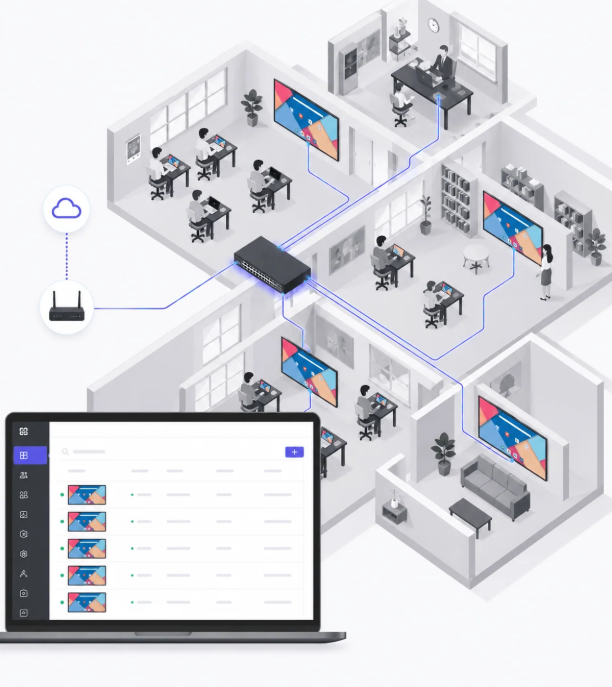
Centralized administration can also affect deployment costs. When a school manages multiple rooms, IT staff need a practical way to configure displays, apply updates, and handle routine support. A consistent setup process can reduce repeated work across different buildings.
Security requirements deserve a separate review. The Nework smart board offering includes Google EDLA certification and automatic security updates, according to the supplied product information. Procurement teams should confirm how these features align with their school’s account policies, software requirements, and data protection procedures.
Estimate the Cost of Ongoing Support
Maintenance budgets should reflect the equipment’s expected workload and the school’s support arrangements. Staff may need help with connection problems, software settings, accessories, or routine troubleshooting. Schools should establish who handles these tasks and how service requests are reported.
Warranty coverage, replacement parts, technical support terms, and response arrangements can influence long-term expenditure. Buyers should review these details in writing instead of assuming that every support service is included in the purchase price.
It is also useful to distinguish between routine maintenance and unexpected repairs. Routine costs may include inspections, staff time, and accessory replacement. Unexpected expenses could involve damaged screens or failures that require professional service.
For multi-campus projects, procurement teams can compare support arrangements across suppliers. Clear documentation makes it easier to estimate annual costs and determine whether internal IT staff can handle routine issues or need external assistance.
Build a Replacement Budget Before Equipment Ages
Replacement planning should begin before the original displays reach the end of their useful service period. Schools can review equipment condition, repair history, software compatibility, and teaching requirements during annual budget reviews.
A phased replacement schedule may suit schools that cannot upgrade every classroom at once. Administrators can prioritise displays with recurring faults, limited compatibility, or growing maintenance needs. They should also consider whether room usage justifies replacing equipment at the same time across an entire building.
Budget forecasts should separate equipment purchases from installation, training, and disposal expenses. This makes comparisons between replacement options more accurate. It also helps schools avoid allocating the full budget to hardware while overlooking the work required to deploy it.
Before selecting Nework interactive whiteboards for classrooms, purchasing teams can compare the proposed equipment’s functions with the school’s current teaching practices and future IT plans. This review helps clarify whether a replacement addresses a genuine operational need.
Compare Proposals Using a Consistent Budget
Supplier quotations are easier to evaluate when every proposal follows the same cost structure. Schools should compare equipment and accessories, mounting and cabling, room preparation, initial training, follow-up support, network integration, and administration costs. They should also review warranty coverage, repair arrangements, and planned replacement or disposal expenses.
The comparison should record all assumptions, exclusions, and recurring fees. A lower initial quotation may require additional spending on setup, while a higher quotation may include services that another supplier charges separately. Reviewing equivalent requirements gives procurement teams a clearer basis for evaluating costs.
Schools should ask suppliers to clarify any unclear installation requirements, training hours, or support responsibilities before approving a contract. This helps prevent unexpected expenses and makes the final budget more practical.
Make the Budget Work Across the Equipment Lifecycle
A classroom display budget should reflect how equipment will be installed, used, maintained, and replaced. Schools that account for these stages can compare suppliers more fairly and prepare for future spending without relying solely on the purchase price.
When evaluating Nework interactive whiteboards for classrooms, decision-makers should assess teaching functions alongside compatibility, staff readiness, security requirements, and support arrangements. A clear lifecycle budget helps schools direct funds toward equipment that fits their educational objectives and practical operating conditions.

